Search and browse help

How to add a chatbot to HTML

Install and test ChatbotGen on your HTML website.

You need access to your website's HTML files or shared page template.

Install the widget

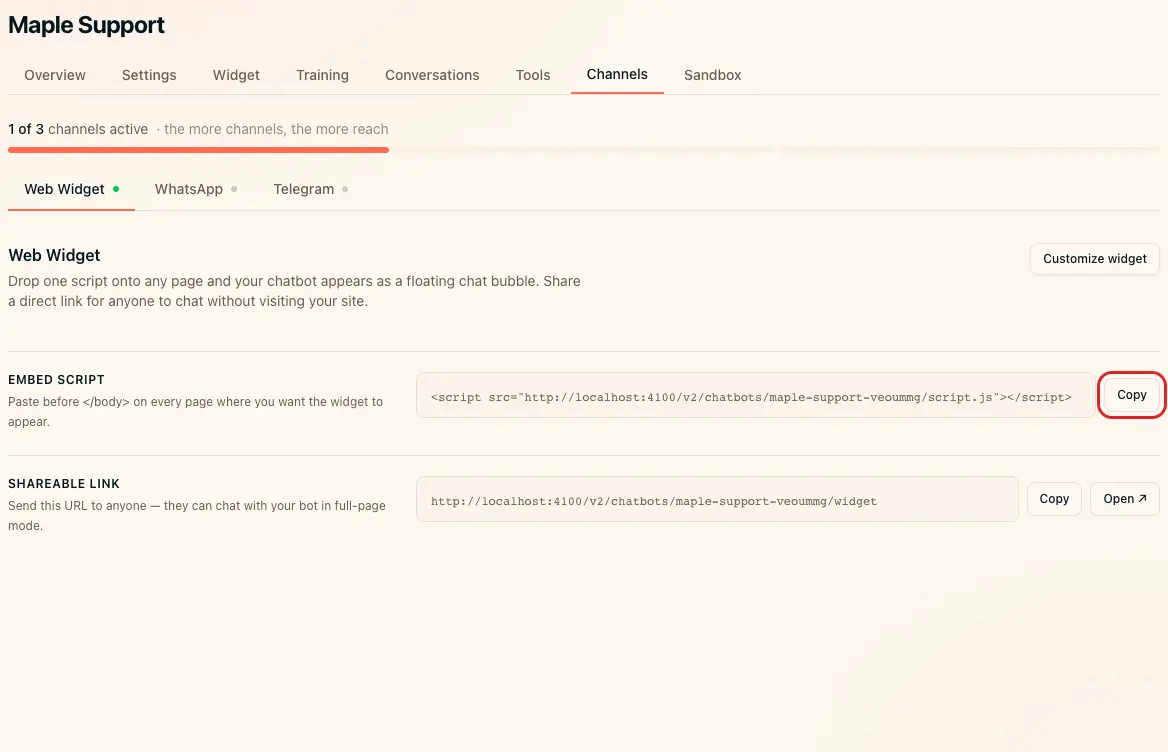
  1. Open Channels → Web Widget in ChatbotGen.
  2. Click Copy beside Embed script.
  3. Open the HTML file or shared layout used by your website.
  4. Paste the complete script immediately before .
  5. Save the file.
  6. Publish it to your host.

Add the script once per page. Do not replace your chatbot slug with an example slug. For a shared layout, install it in the layout once rather than in every component.

Copy the widget embed script
Copy the widget embed script — local demo account.

Verify installation

Open the public URL in a private window. Open the chat bubble and send a question. If it is missing, check that the published HTML contains the script and your site's security policy permits it.