Search and browse help
Set up signed webhooks
Send ChatbotGen events to your systems on Growth and higher, verify signatures, and inspect deliveries.
Webhooks send an HTTP POST to your application when an event happens in ChatbotGen. They are available on Growth and higher.
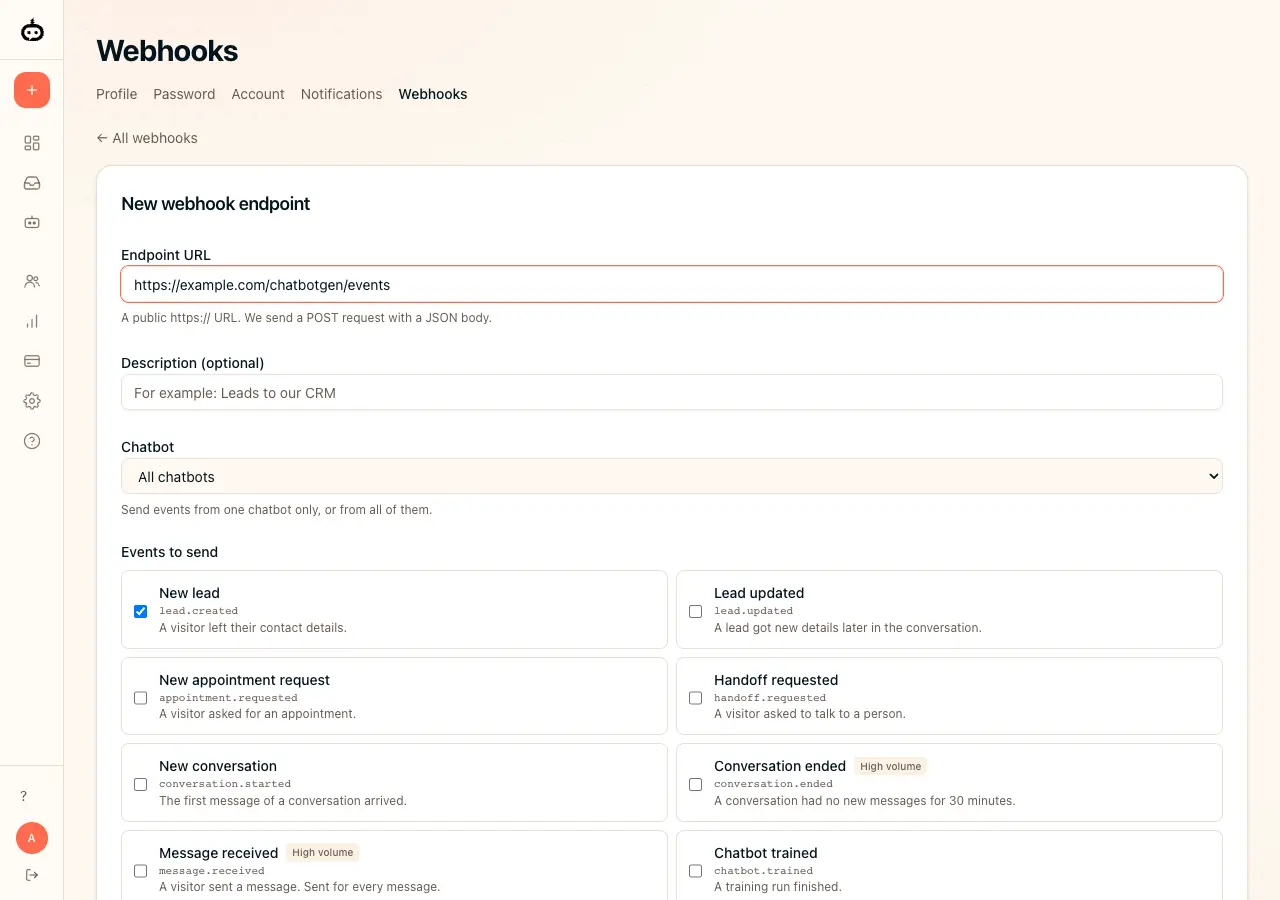
Create an endpoint
Open Settings → Webhooks, click Add endpoint, and enter the public HTTPS URL of your receiver. Add a description so your team recognizes it.
Choose events and chatbots
Choose all chatbots or a specific chatbot, then select the events your automation needs. For example, use
lead.createdfor a new lead,lead.updatedfor later details,appointment.requestedfor a booking request, orhandoff.requestedwhen a customer needs a person. Create the endpoint.Verify the signature
Open the endpoint and copy its signing secret into your receiver’s secure configuration. Verify the raw request body using
webhook-id,webhook-timestamp, andwebhook-signaturebefore processing the event. Use the verification code examples. Reject invalid signatures and timestamps more than five minutes from your server’s clock.Send a test and check delivery
On the endpoint page, choose a test event and send it. Check the delivery log and your receiver. Return a 2xx response when accepted. If delivery fails, inspect the error, fix the receiver, and retry the delivery from the log.
Manage your connection
Open an endpoint to edit its URL, chatbot filter, or events; pause it when needed. If you rotate its secret, update your receiver’s configuration and test verification again.
Developers can manage REST hook subscriptions through /api/v2. See developer documentation for authentication, endpoints, payloads, and signature code.
Looking for Zapier? The ChatbotGen Zapier app is coming soon; it is not public yet.